PyProcar Examples
Welcome to the PyProcar examples! This collection of Jupyter notebooks demonstrates various use cases and practical applications of PyProcar, a Python library for electronic structure pre/post-processing.
These examples are automatically generated from the examples directory of the package and showcase how to effectively use PyProcar’s features for plotting band structures, density of states, Fermi surfaces, and more. Feel free to download and run these notebooks to explore the functionality firsthand.
Band Structure Examples

Getting Started: PyProcar’s bandsplot Function

Dealing with Spin in PyProcar bandsplot

Compare Bands

Band Unfolding Tutorial

Automated Band Structure Analysis (Autobands) Tutorial
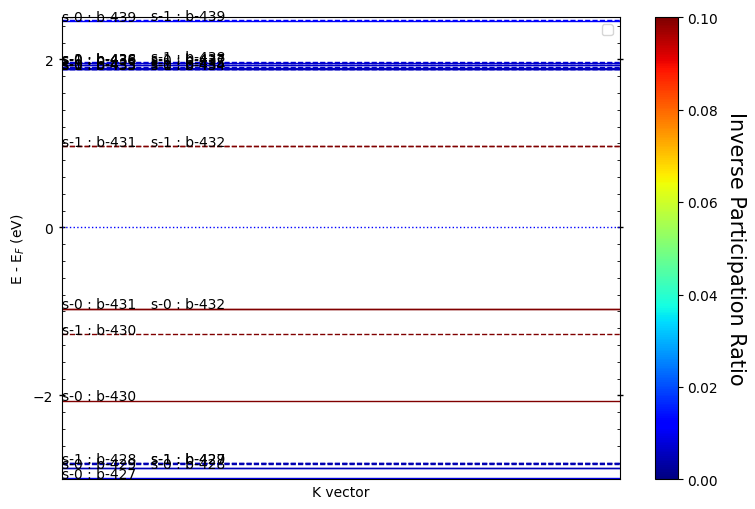
Tutorial: Inverse Participation Ratio (IPR) Analysis

Tutorial: Plotting Atomic Energy Levels

Tutorial: 2D Band Structure Visualization
Density of States Examples


2D Fermi Surface Examples


3D Fermi Surface Examples


Contents
Band Structure Examples
- Getting Started: PyProcar’s
bandsplotFunction- What You’ll Learn
- Prerequisites
- Overview of
bandsplotFunction - 1. Setup and Data Loading
- 2. Core Arguments of
bandsplot - 3. Basic Usage - Plain Mode
- 4. Visualization Modes Overview
- 5. Scatter/Parametric Mode - Projected Band Structures
- 6. The Cache Argument - Speeding Up Repeated Plots
- 7. Overlay Modes - Comparing Multiple Contributions
- 8. Plotting Configurations - Customizing Appearance
- 9. Saving and Output Options
- Summary: Mastering
bandsplot
- Dealing with Spin in PyProcar bandsplot
- Compare Bands
- Band Unfolding Tutorial
- Introduction to Band Unfolding
- Why Do We Need Band Unfolding?
- The Physics Behind Unfolding
- Setting Up the Environment and Data
- Step 1: Understanding the Primitive Cell
- Step 2: Basic Band Unfolding
- Step 3: Exploring Different Unfolding Modes
- Step 4: Advanced Unfolding with Projections
- Step 5: Scatter Plot Mode
- Summary and Key Takeaways
- Automated Band Structure Analysis (Autobands) Tutorial
- Tutorial: Inverse Participation Ratio (IPR) Analysis
- Tutorial: Plotting Atomic Energy Levels
- Tutorial: 2D Band Structure Visualization
- Introduction
- What are 2D Band Structures?
- System Overview: Graphene as a Model System
- Setting up the Environment
- Example 1: Plain Mode - Basic 2D Band Structure
- Example 2: Parametric Mode - Atomic and Orbital Projections
- Example 3: Property Projection Mode - Physical Properties
- Example 4: Spin Texture Mode - Advanced Topological Materials
- Summary and Advanced Techniques
Density of States Examples
- Getting Started: PyProcar’s
dosplotFunction- What You’ll Learn
- Prerequisites
- Overview of
dosplotFunction - 1. Setup and Data Loading
- 2. Core Arguments of
dosplot - 3. Basic Usage - Plain Mode
- 4. Visualization Modes Overview
- 5. Parametric Mode - Projected Density of States
- 6. Stack Modes - Component Analysis
- 7. Overlay Modes - Comparing Multiple Contributions
- 8. DOS Normalization - Scaling for Comparison
- 9. Plotting Configurations - Customizing Appearance
- 10. Caching and Performance
- 11. Saving and Output Options
- Summary: Mastering
dosplot
- Dealing with Spin in PyProcar dosplot
- Comparing DOS with PyProcar
2D Fermi Surface Examples
- Getting Started: PyProcar’s
fermi2DFunction- What You’ll Learn
- Prerequisites
- Overview of
fermi2DFunction - 1. Setup and Data Loading
- 2. Core Arguments of
fermi2D - 3. Basic Usage - Plain Mode
- 4. Visualization Modes Overview
- 5. Parametric Mode - Projected Fermi Surface
- 6. Plain Bands Mode - Individual Band Analysis
- 7. Advanced Configuration and Performance
- 8. Best Practices and Tips
- Summary
- Dealing with Spin in PyProcar fermi2D
- Rashba Spin Splitting
3D Fermi Surface Examples
- Getting Started: PyProcar’s Fermi Surface 3D Visualization
- What You’ll Learn
- Prerequisites
- Overview of FermiHandler Approach
- 1. Setup and Data Loading
- 2. FermiHandler Class Overview
- 3. Creating Your First FermiHandler
- 4. Basic Fermi Surface Plotting - Plain Mode
- 5. Visualization Modes Overview
- 6. Parametric Mode - Projected Fermi Surfaces
- 8. Interactive Features - Sliders and Cross-Sections
- 9. Plotting Configurations - Customizing 3D Appearance
- 10. Saving and Output Options
- Summary: Mastering PyProcar’s FermiHandler
- Dealing with Spin in Fermi Surface 3D Visualization
- De Haas-van Alphen Frequencies from Fermi Surfaces